
The Jackbox Party Pack
Jackbox Games, Inc.Trivia
2.722.00 Reviews
- Version
- 1.1.1
- Installs
- 10.00K
- Age Rating
- Teen
Screenshots





Our Review of The Jackbox Party Pack
 Analysis by Appyee
I approached The Jackbox Party Pack as a game for the moment when everyone is together but nobody wants to learn a complicated rulebook. It is a trivia-focused party game from Jackbox Games, Inc., built around a simple idea: the main screen shows the action while players use their own phones or tablets to participate. That arrangement makes it feel very different from a conventional mobile game, because the device in your hand is not the whole experience; it is the controller, answer pad, and personal window into the round.
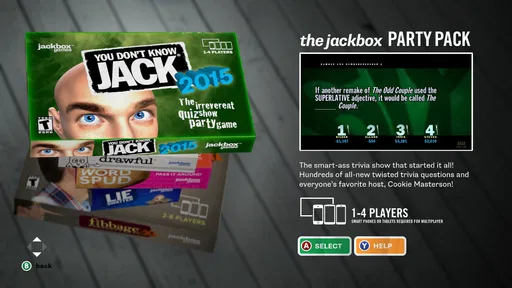
My first impression was that the package works best when treated as a social activity rather than something I would play alone for long stretches. The store summary presents it as a collection of five humorous party games, with room for anything from a small group to a very large gathering. In practice, the appeal comes from the reactions around the screen: people defending strange answers, laughing at an unexpected result, and trying to understand the game’s rhythm together.
The game is listed for a Teen audience, which is worth keeping in mind before bringing it into a mixed-age family setting. It costs $24.99, so I would not recommend buying it casually just because the concept sounds entertaining. The right question is whether you regularly have friends or relatives in the same room who will actually join in. If the answer is yes, the one-time purchase can make more sense than repeatedly looking for a new activity for every gathering.
Getting from installation to a real first round
I’d use this section to make the first round feel manageable: decide where everyone will watch, keep each person’s phone available for their own responses, and aim to get the whole group through one activity before exploring the rest. That gives you a clear way to tell whether the setup suits your room and your guests. Next, I’d look at what tends to trip up newcomers, so small snags don’t derail the fun.
What the experience is really like
The five-game format gives the pack variety, but it also means the first few minutes can feel less focused than a single-purpose trivia app. You are not opening one endless quiz with a familiar progression. You are choosing among several party experiences, each with its own tone and way of involving the group. I found that this is a strength once everyone is comfortable, but it can create hesitation when new players are waiting for someone to decide what to launch.
For a first session, I would avoid trying to explain every available option before starting. Put the game on the shared screen, have everyone keep a phone or tablet ready, and choose one activity that looks approachable. The best first success is not achieving a high score. It is getting every person into the same round quickly enough that nobody feels like an observer. Once that happens, the humor and competition do most of the teaching.
The game supports a remarkably broad group size, from one player to one hundred players. That does not mean every room will feel equally comfortable at every size. A small group can discuss answers and notice individual choices, while a large gathering turns the experience into a louder, more communal event. I would think of the upper end as an audience-friendly possibility rather than a promise that every participant will have the same level of attention.
Setting up the first session without unnecessary stress
Before launching, I recommend deciding which device will act as the main display. A television or larger monitor is much easier for a group than asking people to crowd around one phone. Each participant should then have a separate phone or tablet available as a controller. This is the most important practical detail: the game is designed around personal devices, so passing one handset around the room works against the way the experience is meant to flow.
I also like to prepare the room before inviting everyone to join. Put the main screen where all players can see it, keep the personal devices charged, and make sure nobody is still searching for a controller after the round has begun. These are small steps, but party games are especially sensitive to dead time. A short delay feels much longer when the room is waiting for its first laugh.
The Android listing identifies Android 4.0 as the minimum operating system and shows version 1.1.1 as the current version. That is useful when checking an older device before a gathering. I would still test the complete setup ahead of time rather than assuming that installation alone means the evening is ready. The real test is whether the main display and the individual controllers are all comfortable to use in the same room.
There is also a social setup to consider. Because this is rated Teen, I would preview the tone with younger players or use it with an audience that is comfortable with that age guidance. A party game can be technically easy to start and still be the wrong fit for a particular household. That decision is best made before guests are already seated and expecting the activity to begin.
The first meaningful success: get everyone answering
My recommended first goal is simple: start a round, make sure each person can submit an answer, and allow the group to react before worrying about winning. New users often assume they need to understand the entire pack before they can contribute. They do not. The useful learning happens when the first question or prompt appears and everyone sees how their personal device connects to the shared action.
For a smoother start, I would tell players to read the instructions on their own device instead of asking one person to translate everything aloud. That keeps the room moving and reduces the chance that a confident player accidentally dominates the explanation. Once the first response is submitted, I would pause briefly to confirm that everyone can see the result and knows what to do next. This tiny check prevents one silent player from being left behind for several rounds.
A realistic use case is a casual evening with friends after dinner. Rather than announcing a formal tournament, I would run one short session while people are still settling in. The person hosting can handle the main screen, while everyone else joins with a phone. If the first game lands well, continue with another; if it does not, the group has lost less time than it would have spent learning a more elaborate board game.
Another useful approach is to let the least experienced player answer first without pressure. In a trivia setting, people can become self-conscious if they believe every response will be judged immediately. The pack is more enjoyable when wrong answers are treated as part of the entertainment instead of evidence that someone is not good at trivia. I found that a relaxed first round makes later competition much more lively.
Where first-time players usually become confused
The biggest point of confusion is the division between the shared screen and the personal device. A player may look at the phone and expect the whole game to be there, while the important context is actually displayed for everyone on the main screen. I would explain this before starting: watch the large display for the question, prompt, or result, and use the phone or tablet to make your individual choice.
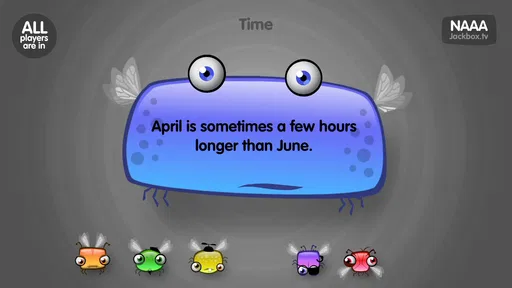
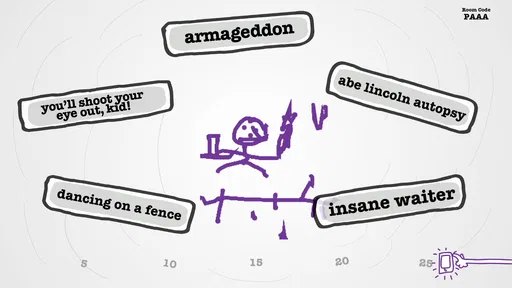
Another source of friction is assuming that every game in the pack will feel like ordinary multiple-choice trivia. The collection is broader than a standard quiz app, so the group may need a moment to adjust to different kinds of prompts and responses. If someone says, “I do not know what this wants me to do,” the most helpful answer is usually to read the on-screen instruction carefully and try the first response rather than stopping the session for a long explanation.
Large groups can create a different problem: participation becomes uneven. With many people in the room, some players may answer enthusiastically while others simply watch. I would make the joining process visible and ask everyone to submit something during the opening round. For a very large gathering, the host should also accept that the atmosphere may matter more than tracking every individual reaction. The pack can support a crowd, but a crowd still needs a host who keeps the energy moving.
There is a subtle difference between technical success and social success here. A device can be connected and still be uncomfortable to use if the player cannot see the shared screen, is sitting too far away, or is distracted by conversation. Arrange seats so that phones remain personal but the main display stays visible. This is one of the less obvious improvements because it has nothing to do with the game menu, yet it can determine whether the first round feels effortless or awkward.
How I would choose the right audience
I think the pack is a strong match for people who enjoy humorous trivia, improvised answers, and group reactions more than carefully balanced competitive play. It is especially suitable for hosts who want something that can be started without handing out a board, sorting cards, or teaching a long sequence of rules. The phone-as-controller design also helps when guests already have their own devices and do not want to share a single touchscreen.
I would be more cautious about recommending it to someone looking for a deep solo game. Although the listed player range begins at one, the personality of the collection is clearly tied to participation and shared amusement. A lone player may be able to explore the activities, but the strongest reason to own it is having other people nearby. If your usual gaming time is private and quiet, a dedicated single-player trivia title would probably serve you better.
It is also not my first choice for a group that wants a serious knowledge test. Traditional quiz apps usually make the scoring, question structure, and progression more central. Here, the social performance around the answer is at least as important as factual accuracy. That trade-off is intentional, but it means a group seeking a rigorous pub-quiz atmosphere may prefer a more focused alternative.
Compared with a physical party game, this pack removes the need to manage cards, pencils, or a shared answer sheet, and it can bring several different activities into one purchase. The trade-off is dependence on the main display and on every player having a suitable personal device. Compared with a free mobile trivia app, it feels more like an event for the room, but the upfront price makes the expected frequency of use important. I would buy it for recurring gatherings, not for a single uncertain experiment.
Small habits that make the pack work better
One practical tip is to appoint a host who is willing to manage transitions rather than treating the game as completely self-running. The host can invite quieter players to join, remind everyone to look at the shared screen, and decide when the group has had enough of one activity. This role is especially useful when the gathering includes people who have never used a phone-controlled party game before.
A second tip is to avoid beginning with the largest possible audience. If you are introducing the pack at a family or community event, test it first with a smaller circle. That lets you discover whether the display is readable, whether everyone understands the controller arrangement, and whether the tone suits the group. After that, expanding to a larger gathering is much less intimidating.
A third insight is that the pack rewards a different kind of preparation than a conventional trivia night. You do not need to prepare questions, but you do need to prepare attention. Put phones aside until the round starts, make the shared screen the focus, and avoid having side conversations during the instructions. The game’s humor depends on people seeing the same moment together; fragmented attention weakens that effect more than a lack of trivia knowledge does.
I would also set expectations about the purchase for everyone involved. Since the game costs $24.99, it is reasonable for the buyer to think of it as a reusable group activity rather than a disposable app. If you are hosting regularly, keep the installation and display arrangement familiar so future sessions begin faster. If you only meet a group once, consider whether another game already available to you can create the same social result without the additional cost.
What the store details mean in everyday use
The game has an average rating of 2.7 from around thirty-nine ratings, with around twenty-two written reviews, and it has passed ten thousand installs. I would read those figures as a reason to approach the purchase thoughtfully rather than as a complete verdict on the experience. A party game can be judged heavily by device compatibility, room setup, and the expectations of the group using it, so the same product may feel brilliant at one gathering and inconvenient at another.
The release date is December 23, 2014, which also helps set expectations. This is not a newly designed mobile experience built around current phone habits. Its appeal is the party format and the shared-screen structure, not cutting-edge presentation. The listed version, 1.1.1, and the older minimum operating system make it sensible to check the device you plan to use before relying on it for an important event.
The developer, Jackbox Games, Inc., is closely associated here with a collection designed for group play rather than a conventional solo trivia ladder. I would judge it on whether it creates conversation and participation in your room, not on whether it replaces a full quiz platform. That distinction explains both its charm and its limitations.
When I would skip it
I would skip this purchase if nobody in your household enjoys being put on the spot, if your gatherings rarely include a shared screen, or if asking everyone to use a phone feels like more work than fun. I would also choose something else for young children because the Teen rating deserves attention, and for players who want a precise, knowledge-first competition with minimal comedy.
I would hesitate if your group is likely to spend the evening in separate conversations. The pack needs a common focus, and it cannot manufacture enthusiasm when people are not interested in joining. Likewise, if you need a game that works reliably as a quiet solo pastime, a traditional trivia app is a better match for that use case.
My recommendation after the first session
For a first-time user, my advice is to treat the opening round as a setup exercise, not a test. Place the main display where everyone can see it, give each player a phone or tablet, choose one activity, and aim for a complete round in which every participant submits an answer. Once that basic loop works, the pack becomes much easier to judge fairly.
I like The Jackbox Party Pack most when a host wants to turn a room full of people into one shared conversation without preparing a complicated game night. Its five-game collection, phone-based controls, and broad player range give it flexibility, while the Teen rating, upfront cost, older release, and reliance on a suitable display create real conditions for success. I would recommend it to social groups that value laughter and quick participation over serious quiz depth. I would not recommend it as a blind purchase for solo players or for anyone who wants a traditional trivia app.
My final view is positive but specific: buy it for the gathering you can already imagine hosting, not for an abstract promise of future entertainment. If you can picture friends answering from their phones, reacting to the shared screen, and trying another activity after the first round, this pack has a clear purpose. If that scene does not fit your normal routine, the price and setup requirements make a different trivia or party option the wiser choice.
Verdict
Strengths of The Jackbox Party Pack
- Supports local multiplayer, making it ideal for parties and group gatherings.
- Mini-games are easy to learn, so new players can join without much explanation.
- Players can use phones as controllers, avoiding the need for extra gamepads.
- Humorous prompts and voting systems create plenty of memorable moments.
- Includes several different game types for variety across multiple play sessions.
Limitations of The Jackbox Party Pack
- Only one person needs to own the pack, but every player still needs a device.
- Some games work best with larger groups and feel limited with fewer players.
- English-focused content may be difficult for non-native speakers to enjoy.
- Internet access is often needed for players to connect through their browsers.
- The humor and replay value depend heavily on the group’s creativity and mood.
Other Releases by Jackbox Games, Inc.
View All
The Jackbox Party Pack 3
Trivia3.6
Similar Picks in This Category
View All
Millionaire 2026 Quiz & Trivia
Quiz & Trivia Games by Submarine Apps4.5

Brain Test 2: Tricky Stories
Unico Studio4.7

Trivia Crack: Brain Quiz Games
etermax4.4

QuizzLand. Quiz & Trivia game
Quiz & Trivia Games by Mno Go Apps4.8

Brain Test: Tricky Puzzles
Unico Studio4.7

Logo Quiz
bubble quiz games4.5
Frequently Asked Questions
What is The Jackbox Party Pack, and what does it include?
The Jackbox Party Pack is a collection of party games designed for groups, usually featuring several different titles in one package. Each pack has its own lineup, such as trivia, drawing, word, or comedy-based games. The exact games vary by numbered edition, so it is important to check the contents of the specific pack before downloading or purchasing it.
Can players join The Jackbox Party Pack without installing the game?
Yes. In most game modes, only the host needs to own and run The Jackbox Party Pack on a compatible device. Other participants typically join by visiting Jackbox.tv in a web browser on a smartphone, tablet, or computer and entering the room code shown on the host’s screen. This makes it convenient for parties because guests generally do not need a separate app or copy.
How many people can play The Jackbox Party Pack?
The player limit depends on the individual game included in the pack. Many titles support several active players, while some allow a larger audience to participate through audience or spectator features. Before starting a session, check the instructions for the specific game, especially if you are planning a party with a large group. Some games may also support remote players through screen-sharing.
Does The Jackbox Party Pack support online multiplayer?
The Jackbox Party Pack is primarily designed for local group play, but it can also be used with friends online through services such as video calls or console and PC screen-sharing tools. The host runs the game and shares the screen, while participants join using their browsers. The quality of the experience depends on the streaming platform, internet connection, and voice-chat setup.
Is The Jackbox Party Pack suitable for children and family gatherings?
Suitability depends on the particular pack, the selected game, and the answers provided by players. Some games are family-friendly, while others may include mature jokes, suggestive prompts, or user-generated content. Review the age rating and individual game descriptions before playing with children. Many versions include content filters or settings that can help make the session more appropriate for your group.
Play our best games!


